
Spades Pop - Classic Card Game
WildCard GamesCard
4.73.59K Reviews
- Version
- 1.30.2
- Installs
- 100.00K
- Age Rating
- Everyone
Screenshots
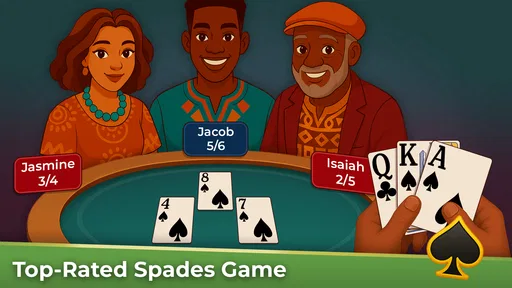






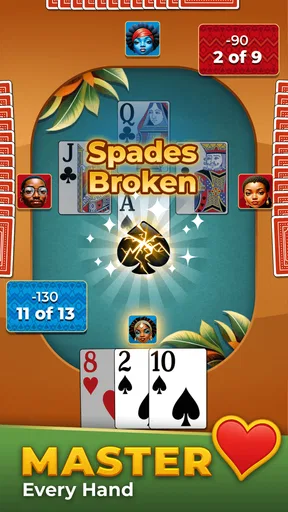
Our Review of Spades Pop - Classic Card Game
 Analysis by Appyee
I approached Spades Pop - Classic Card Game as the sort of game I could open for a few quiet minutes, rather than something demanding a long session. That first impression matters with card games: the rules need to feel familiar, the interface needs to stay out of the way, and each round should give me a clear reason to play one more hand. This title from WildCard Games is built around trick-taking Spades, presented as a free card game for Android users who want a straightforward way to play.
My overall view is positive, but it depends on what you want from a mobile card game. If you already enjoy Spades and like making decisions from incomplete information, this is an easy game to understand and revisit. If you are looking for a large collection of card games, a deep campaign, or a social table full of friends, you may find its focused design too narrow. I would judge it less by the number of extras it offers and more by how comfortably it handles the core rhythm of bidding, choosing cards, and trying to take the right tricks.
What to consider before choosing a Spades game
The first decision is whether you want a dedicated Spades experience or a general card-game app. A dedicated game has an advantage: you do not have to search through unrelated modes before reaching the rules you came to play. That focus also means the quality of the round-to-round flow matters more. In my experience, the best choice for a short session is the one that lets me concentrate on the hand instead of making me manage a complicated menu.
Spades itself rewards more than quick reactions. Before playing a card, I need to think about the strength of my hand, the likely value of each suit, and whether taking an early trick will help or hurt the rest of the hand. A good mobile version should make those decisions readable on a smaller screen. I look for cards that are easy to distinguish, controls that do not invite accidental plays, and a pace that allows me to think without turning every hand into a chore.
Another useful criterion is the kind of attention the game demands. This is not the ideal choice if I want to play while constantly switching between tasks. Even a familiar hand can change quickly when a valuable suit is exhausted or when another player forces a decision. I can use it during a break, on a commute when I am seated and able to focus, or at home when I want something more active than passive scrolling. I would avoid starting a serious hand when I know I will be interrupted every few seconds.
The audience information also makes the game approachable. It is rated for Everyone, so it fits households looking for a plainly presented card game without an adult-focused premise. The game is free, which removes the initial cost barrier. That does not automatically make it the best option for every player, but it makes trying the basic experience less of a commitment than buying a paid card title before knowing whether its style suits you.
How the opening hands feel in everyday use
A realistic use case for me is a short evening pause after finishing a task. I can start a hand, make a few deliberate choices, and stop after the round instead of committing to a lengthy campaign. That makes the game more useful than a lot of larger mobile releases that need a substantial time investment before they become enjoyable. The trick-taking format naturally divides play into small units, so I can treat one hand as a complete break.
There is also a good fit for players returning to Spades after a long absence. The basic idea is recognizable, but the game still gives room to rebuild judgment. I would use the first sessions to observe how often I overestimate a hand, how quickly I spend high cards, and whether I am bidding based on real control or simple optimism. That self-checking habit is more valuable than rushing through hands, especially for someone who remembers the rules but has not played recently.
One practical tip is to decide on a personal bidding routine before the hand begins. I first separate cards that look dependable from cards that only appear attractive because they are high. Then I consider how many opportunities I may have to control the flow, rather than assuming every promising card will win. This approach helps prevent the common mistake of treating a strong-looking hand as a guaranteed result.
Why the focused design works
The strongest reason to choose this game is concentration. Spades Pop keeps the identity of a single trick-taking game instead of presenting itself as an all-purpose card hub. That makes it easier for me to build a repeatable routine: open the game, play a hand, review the result mentally, and decide whether I want another. For players who already know they want Spades, that directness is more useful than a crowded selection of unrelated tables.
The game has also attracted a substantial audience, with over one hundred thousand installs and an average rating of 4.7 from around twelve thousand ratings. Those figures do not replace personal testing, but they do suggest that the basic idea is connecting with many players. I would still pay attention to my own tolerance for the pace and presentation, because card games can be highly personal even when the underlying rules are familiar.
WildCard Games released it on November 21, 2024, and the current version is 1.28.0. It runs on Android 8.0 or later, so it is accessible on a broad range of devices that are not using the newest system software. For me, that is helpful when reviewing a lightweight game on an older spare phone: I do not need to reserve the newest hardware for a simple hand of cards.
Another quiet strength is that the game gives me a reason to improve without requiring a complex learning system. Every hand offers feedback. If I miss a contract, I can ask whether the bid was too ambitious, whether I used a control card too soon, or whether I failed to notice how the suit distribution was changing. That makes the title suitable for casual players who enjoy gradual improvement, not only for experienced Spades players who already analyze every trick.
Small habits that make the game more rewarding
I recommend treating the first few hands as observation rather than a test of skill. Pay attention to which cards remain after the early tricks and resist the urge to play a winning card simply because it is available. Sometimes preserving control is more useful than collecting an immediate trick. This is a general Spades principle, but the compact mobile format makes it easy to practice repeatedly without setting up a physical table.
A second useful habit is to distinguish between a safe bid and a hopeful bid. When I am playing casually, it is tempting to count every possible trick as if the table will cooperate. A better approach is to count only the tricks I can reasonably support, then treat uncertain opportunities as a warning rather than a promise. That reduces the frustration of losing because the initial estimate was built on best-case assumptions.
I also find it useful to pause after a disappointing hand instead of immediately chasing a better result. The next hand may look attractive simply because I want to recover. That emotional reaction can lead to another inflated bid and make the session feel harsher than it needs to be. Taking a moment to reset keeps the game about decisions rather than about repairing the previous score.
These are not flashy features, but they are the kind of details that determine whether a card game stays installed. A title can have a familiar ruleset and still become dull if every round feels interchangeable. Here, the changing value of the hand gives me enough variation to keep thinking, especially when I approach each deal as a small puzzle rather than a race to finish.
Where other types of card games may fit better
The main limitation is focus. Someone who wants solitaire, rummy, hearts, or several other formats in one application may prefer a card suite instead. A collection can be more convenient for households with different tastes, because one person can switch from a solo puzzle to a trick-taking game without installing something new. Spades Pop is the better choice only when Spades itself is the priority.
It may also be the wrong fit for players who value a strong social experience above all else. A physical table offers conversation, visible reactions, and the ability to negotiate a house style with friends. A mobile game is more convenient, but it cannot reproduce that shared room. If my goal is to play with a familiar group and talk through the evening, I would choose a platform designed around that group rather than a focused solo mobile session.
There is a similar trade-off for players who want a highly elaborate progression system. Some card games are built around collecting, unlocking, or long-term advancement. I would choose one of those when I want a persistent project with many layers outside the hand itself. This game makes more sense when the satisfaction comes from the decisions inside each round, not from building a large account over time.
Competitive players should think about what kind of competition they need. If I want formal matchmaking, a visible ladder, or a community centered on ranked play, I would compare dedicated competitive alternatives before settling here. I would not choose this title on the assumption that every Spades app offers the same social or competitive structure. The safer reason to install it is that I want a convenient, focused way to play the card game itself.
What switching to this game involves
The cost of switching is low in money because the game is free, but there is still a learning cost if I am moving from a different Spades app. Familiar rules do not guarantee an identical feel. The placement of controls, the way the hand is presented, and the pace of each decision can change how comfortable a session feels. I would give it several hands before deciding, rather than judging it after the first few taps.
Players moving from physical cards may need a short adjustment period as well. At a table, I can physically sort cards and watch everyone’s actions in a shared space. On a phone, the information is presented through the screen, so I need to develop a habit of scanning the hand before acting. That is not a serious obstacle, but it changes the rhythm. I recommend slowing down at first and checking the full hand before committing to a play.
For someone already using another digital Spades game, the question is whether this focused experience feels more comfortable or more limited. Switching makes sense if the current app feels cluttered, if I want a fresh place to practice, or if I prefer a game that is easy to pick up without navigating a broader catalog. Switching makes less sense if the existing app already provides the exact social, competitive, or multi-game features I rely on.
Because the title supports Android 8.0 and later, compatibility is unlikely to be a concern for many Android users, including people keeping an older device in service. I would still install it on the phone I actually plan to use and check the feel of the cards, touch targets, and readability for myself. A game can technically run on a device while still feeling less comfortable on a small display.
Who will enjoy it, and who should skip it
I would recommend it to a player who knows the rules of Spades, enjoys short strategic sessions, and wants a free game that stays centered on trick-taking. It is also a reasonable starting point for a newcomer who is willing to learn through repeated hands rather than expecting a broad tutorial adventure. The Everyone rating makes it approachable for general audiences, while the familiar structure gives returning players a clear path back into the game.
I would be more cautious about recommending it to someone who becomes bored without several game modes. The same focus that helps me reach a hand quickly can feel restrictive if I want variety every time I open an app. I would also steer a player toward another option if their main goal is chatting with friends, participating in organized competition, or building a long-term collection. Those needs are different from the simple pleasure of playing a few Spades hands.
It is worth remembering that a high average rating is encouraging but not universal proof of a perfect fit. Card-game preferences are shaped by pace, layout, and the amount of control a player expects. I like the idea of using this as a dependable short-session game, but I would not present it as a replacement for every other card experience. Its value comes from doing one recognizable thing without asking me to turn it into a major hobby.
My recommendation after using it as a decision guide
Spades Pop - Classic Card Game earns my recommendation for Android users who want a focused, free way to play Spades and appreciate decisions that unfold one trick at a time. WildCard Games has chosen a sensible direction: keep the identity clear, make the game easy to revisit, and let the hand provide most of the variety. The result is best understood as a convenient practice and casual-play companion, not as an all-in-one card platform.
I would start with a few relaxed hands, use conservative bids while learning the flow, and judge the game by whether I enjoy thinking about the next trick rather than by whether I win immediately. If that rhythm works for you, the low entry cost makes trying it an easy decision. If you need a broad game library, a lively friend group, or a deep competitive structure, I would look at alternatives built around those priorities instead.
My final choice would be to keep it installed for breaks, quiet evenings, and moments when I want a compact strategic activity. The game is simple to enter but not completely mindless, which is the balance I want from a mobile card title. It will not satisfy every kind of player, but for someone specifically looking for accessible Spades on a compatible Android device, it is a practical and enjoyable option.
Privacy and Permissions
See what permissions an app requests and how it handles your data.
- Wi-Fi connection information
- view Wi-Fi connections
- Other
- view network connections, full network access, control vibration, prevent device from sleeping, Google Play license check
Verdict
Strengths of Spades Pop - Classic Card Game
- Simple rules make it easy for beginners to start playing.
- Quick matches fit well into short breaks or casual sessions.
- Classic trick-taking gameplay offers a familiar card-game experience.
- Clear card layouts make suits and bids easy to follow.
- Offline play can be convenient when internet access is limited.
Limitations of Spades Pop - Classic Card Game
- Limited variation may feel repetitive for experienced card players.
- Computer opponents may not always provide a challenging strategy.
- Ads can interrupt the flow between games or during navigation.
- Random card deals can lead to uneven or frustrating matches.
- Some features may require in-app purchases or additional downloads.
Other Releases by WildCard Games
View All


Similar Picks in This Category
View All
Solitaire - Classic Card Games
MobilityWare4.6

UNO!™
Mattel163 Limited4.3

Spider Solitaire: Card Games
MobilityWare4.6

Solitaire.com - Classic Cards
Tripledot Studios Limited4.7

Plants vs. Zombies™ Heroes
ELECTRONIC ARTS4.1

Hearthstone
Blizzard Entertainment, Inc.4.1
Frequently Asked Questions
What is Spades Pop - Classic Card Game?
Spades Pop - Classic Card Game is a digital version of the traditional Spades trick-taking card game, designed for mobile devices. Players compete in teams, estimate how many tricks they can win, and use strategy to achieve their bid. The app is generally aimed at casual players who want quick matches, simple controls, and a familiar card-game experience without needing a physical deck or table.
How do you play Spades Pop - Classic Card Game?
The basic objective is to win the number of tricks announced in your bid before the round begins. Spades are normally the permanent trump suit, meaning they can beat cards from other suits once spades are allowed to be played. You must usually follow the suit led when possible, while choosing when to spend high cards and spades carefully. Winning requires planning, accurate bidding, and paying attention to cards already played.
Can I play Spades Pop offline or without an account?
Availability of offline play and account requirements can depend on the current version of Spades Pop and the device platform. Many mobile card games offer solo play against computer-controlled opponents, while some features may require an internet connection for advertisements, updates, leaderboards, or online services. Before downloading, check the store listing and the app’s permissions to confirm whether registration or continuous connectivity is required.
Does Spades Pop - Classic Card Game include ads or in-app purchases?
Like many free-to-download mobile card games, Spades Pop may use advertising or optional in-app purchases to support development. Ads can appear between rounds or during menu navigation, while purchases may provide cosmetic items, remove advertising, or offer additional resources depending on the version. Review the payment information in the Google Play Store or Apple App Store, and use parental controls if children will play.
Is Spades Pop suitable for beginners and experienced card-game players?
Spades Pop can be suitable for both newcomers and experienced players, provided its tutorials, difficulty settings, and game modes match your expectations. Beginners can learn the rules through practice rounds against automated opponents, while experienced players may prefer faster matches or more challenging competition. However, the quality of the challenge depends on the artificial intelligence and available modes, so it may feel more casual than a competitive tabletop game.
Play our best games!


